
-
×
 Higher High And Lower Low [Pro]
1 × $226.00
Higher High And Lower Low [Pro]
1 × $226.00 -
×
 Buy Sell Gold M1 Tradingview
1 × $280.00
Buy Sell Gold M1 Tradingview
1 × $280.00
-87%
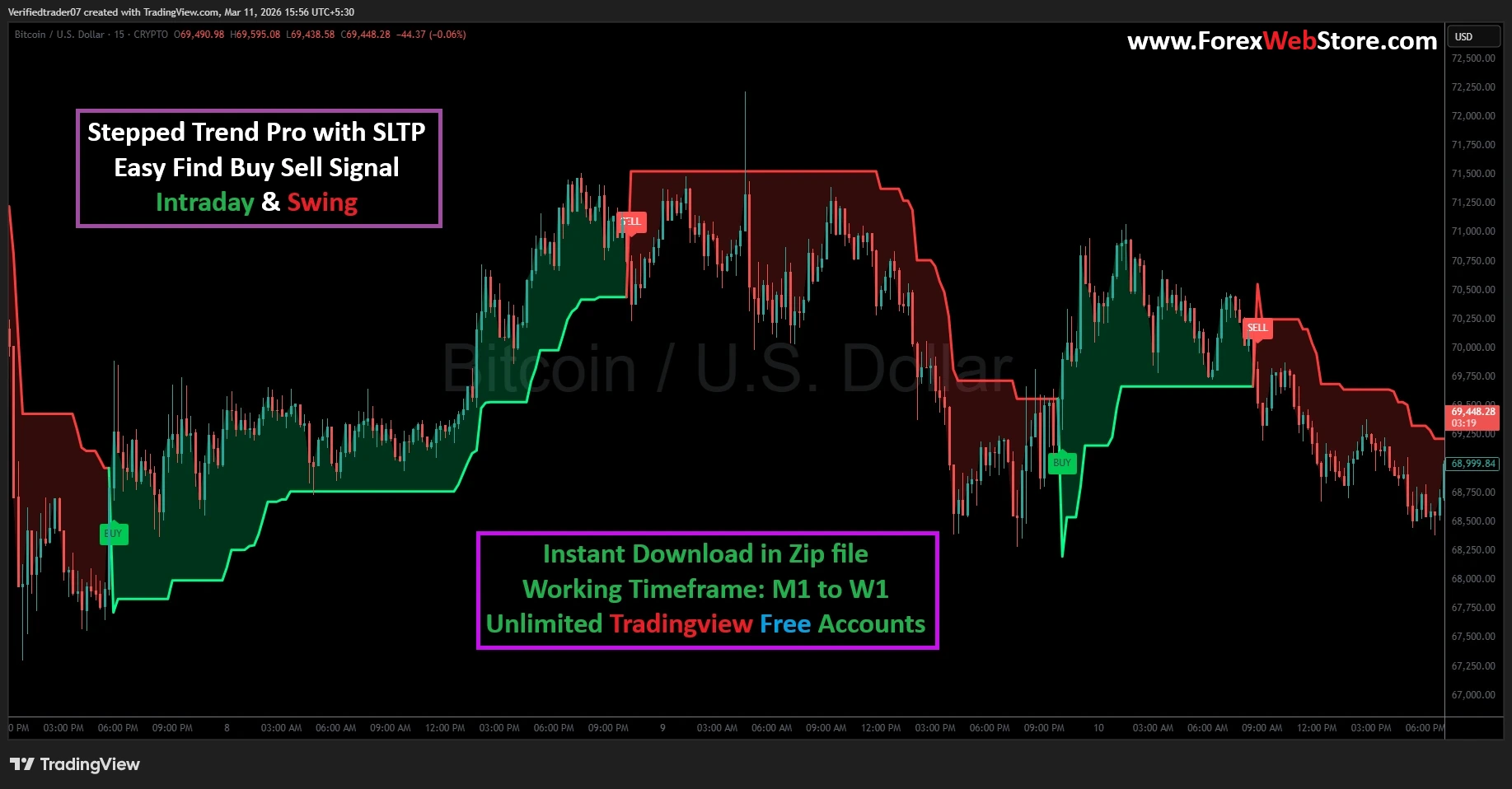
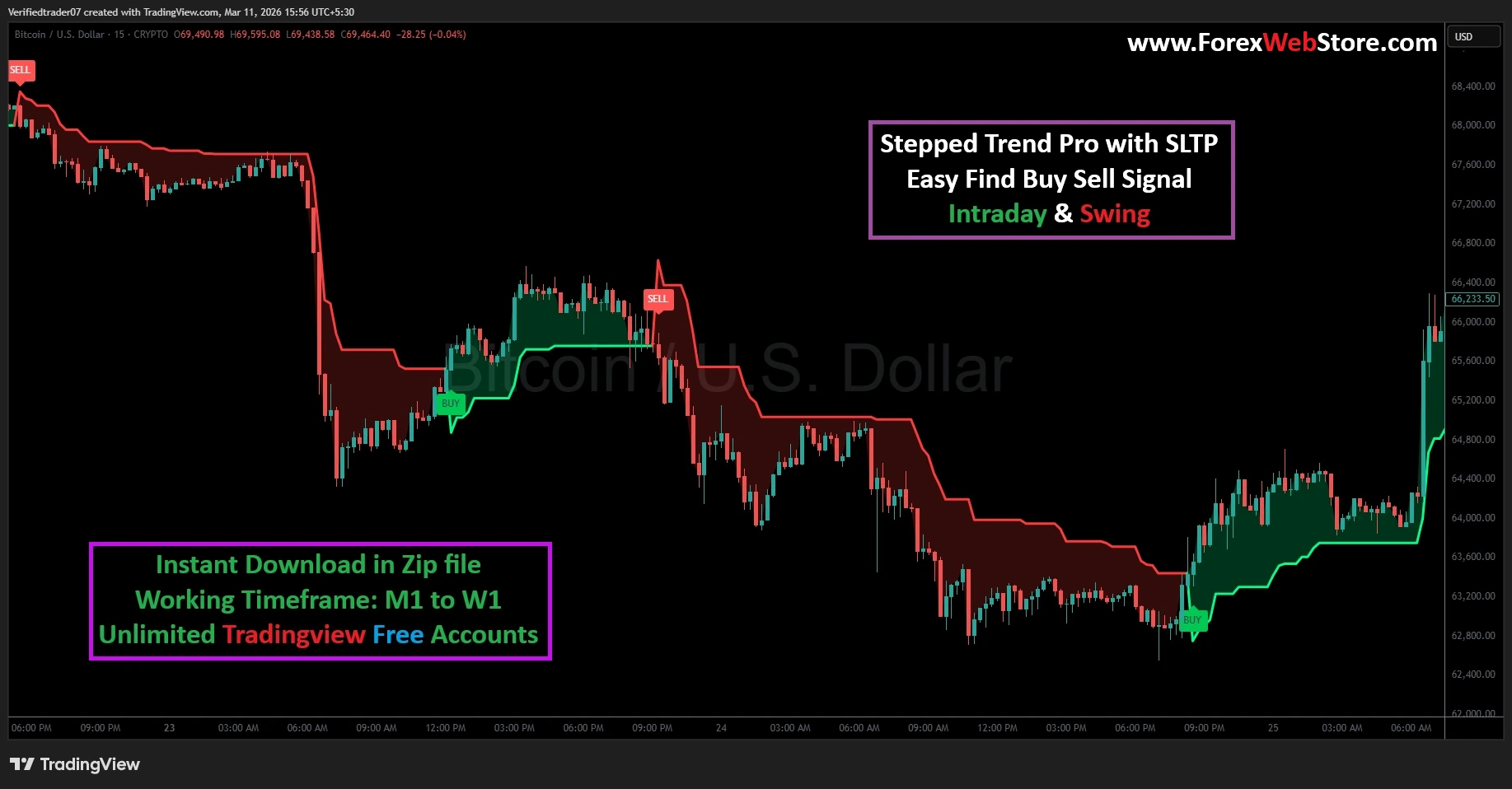
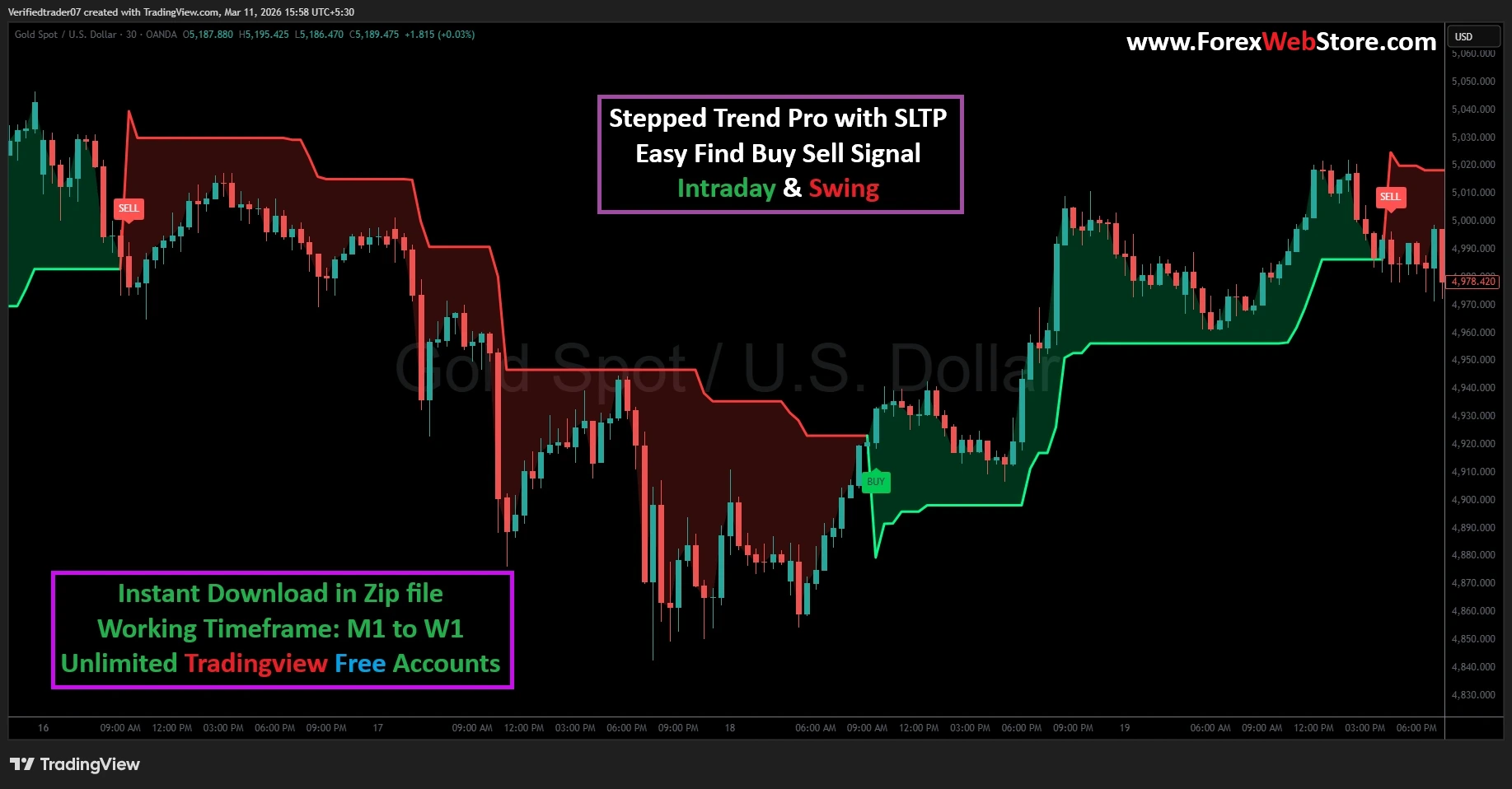
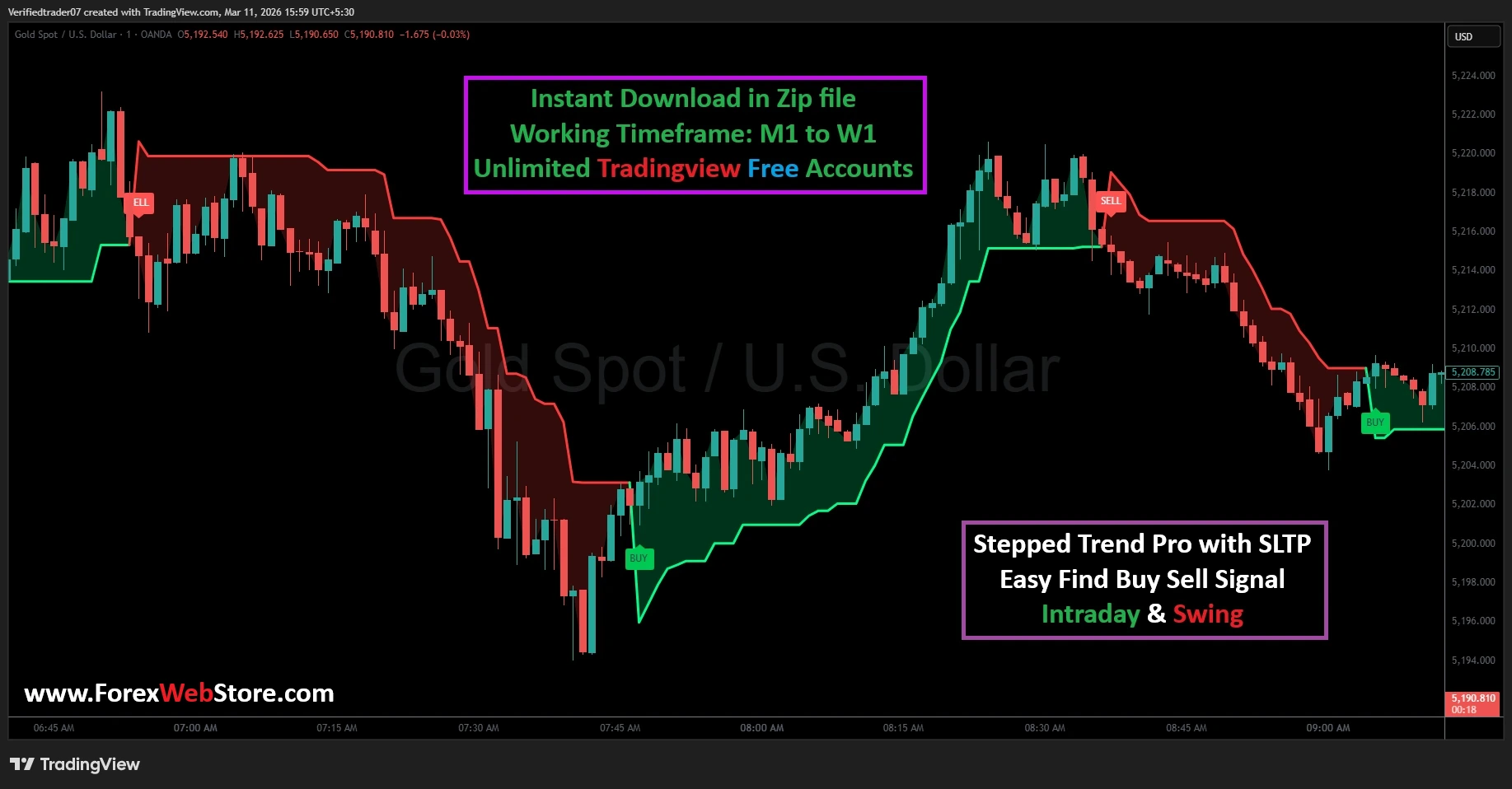
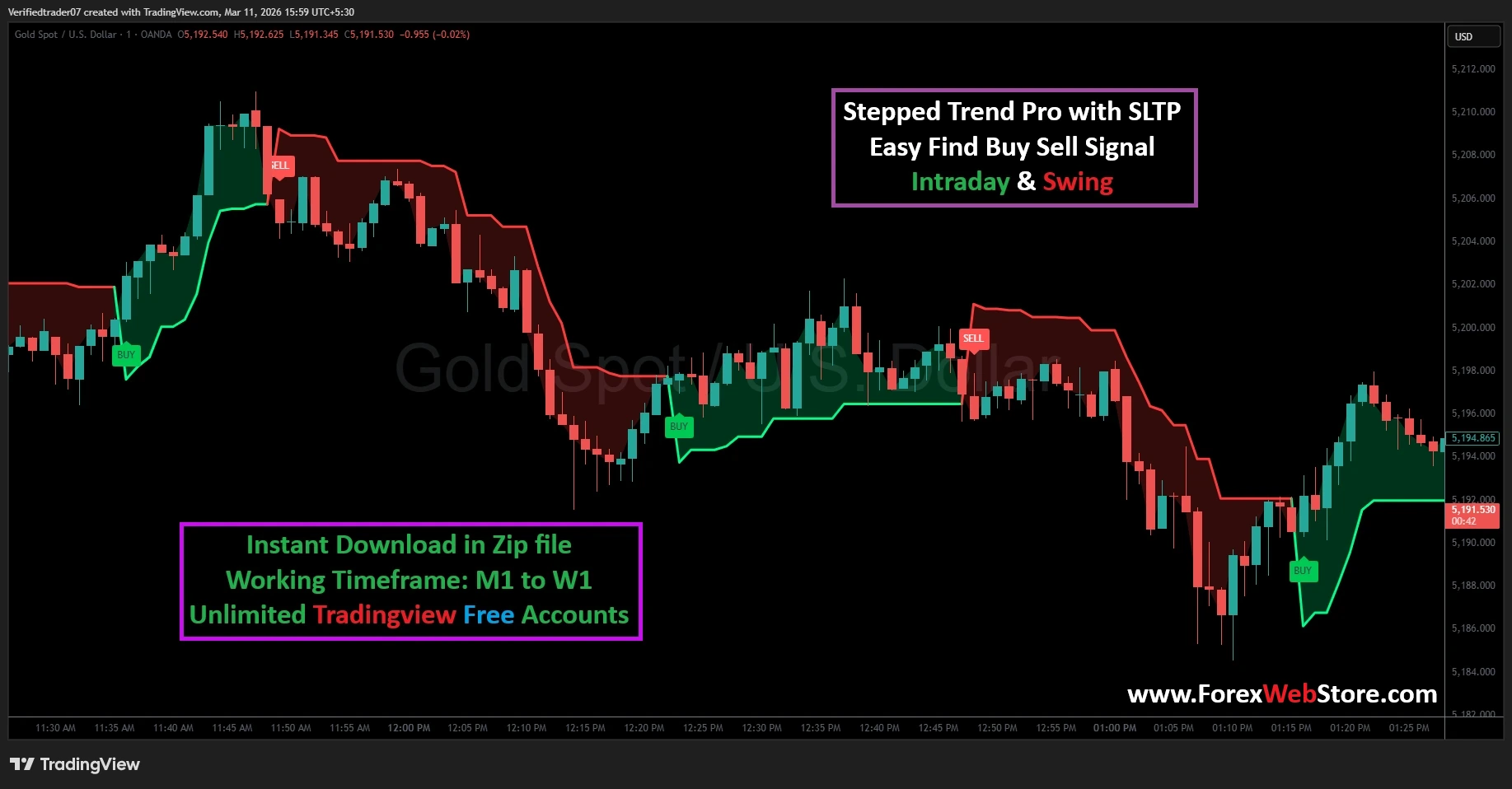
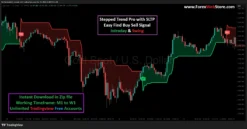
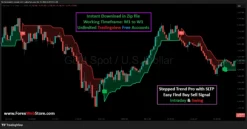
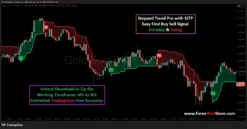
Stepped Trend Pro with SLTP
Original price was: $1,500.00.$199.00Current price is: $199.00.
- Original Indicator
- Trading time: Every time
- Instant Download in Zip file
- Working Timeframe: M1 to W1
- Use on Unlimited Tradingview Accounts
- Type of strategy: Scalping and Intraday
- Source Code:- Pine script
- Works on All pairs Forex, Crypto, Stock Marke etc.
- Customer Support & Free Upgrades
- Lifetime Version
Stepped Trend Pro with SLTP
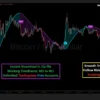
The Stepped Trend Pro with SLTP is a high-precision technical analysis tool designed to eliminate market noise and provide traders with crystal-clear entry and exit points. Unlike traditional moving averages that lag behind price action, this indicator uses a “stepped” algorithm that tracks volatility and price momentum in real-time. Whether you are an Intraday Scalper or a long-term Swing Trader, this tool is engineered to help you stay on the right side of the trend.
Key Features of the Stepped Trend Pro
-
Visual Trend Detection: Uses color-coded zones (Green for Bullish, Red for Bearish) to instantly identify market sentiment.
-
Non-Repainting Signals: The “BUY” and “SELL” labels appear based on closed-bar logic, ensuring the signals stay fixed on your chart.
-
Multi-Timeframe Compatibility: Optimized for everything from the 1-minute (M1) chart for quick scalps to the Weekly (W1) chart for long-term investments.
-
Built-in SL/TP Logic: Includes Take Profit and Stop Loss zones to assist in disciplined risk management.
Step-by-Step Guide: How to Use the Stepped Trend Pro
To get the most out of this indicator on TradingView, follow these four essential steps:
Step 1: Setting Up the Chart
Once you have imported the script into your TradingView account, apply it to a clean chart. It works exceptionally well on major Forex pairs like XAU/USD (Gold), EUR/USD, and GBP/USD. For Intraday trading, we recommend the 5-minute or 15-minute timeframe. For Swing trading, the 1-hour or 4-hour charts provide the highest accuracy.
Step 2: Identifying the Entry Signal
The indicator simplifies the decision-making process through two primary visual cues:
-
Bullish Entry (BUY): When the price breaks above the stepped resistance and the cloud turns Green, a “BUY” label will appear. This indicates that momentum has shifted upward.
-
Bearish Entry (SELL): When the price drops below the stepped support and the cloud turns Red, a “SELL” label appears. This is your cue that the sellers are in control.
Step 3: Managing the Trade (SL & TP)
Trading without a plan is gambling. The Stepped Trend Pro assists by providing a dynamic boundary:
-
Stop Loss (SL): Place your stop loss just below the green stepped line for Buy orders, or above the red stepped line for Sell orders.
-
Take Profit (TP): Ride the trend as long as the color remains consistent. You can exit when the price touches the opposite side of the “step” or when a counter-signal appears.
Step 4: Confirming with Price Action
For maximum winning probability, look for “Confluence.” For example, if the indicator gives a BUY signal at a major support level or after a bullish candlestick pattern (like a Hammer or Engulfing candle), the trade has a much higher chance of success.
Why Choose This Indicator?
Most retail traders fail because they “over-trade” during sideways (ranging) markets. The Stepped Trend Pro is specifically designed to keep you out of choppy waters. When the steps are flat and narrow, it signals a sideways market. When the steps begin to “staircase” up or down, it signals a powerful trend that you can ride for maximum pips.
Note: This indicator is a digital product. Upon purchase, you will receive an instant download link for the source code/zip file, which can be easily added to your TradingView “Pine Editor.”
Be the first to review “Stepped Trend Pro with SLTP”
Related products
-86%
Tradingview
Original price was: $1,500.00.$211.00Current price is: $211.00.
-89%
-91%
Tradingview
Original price was: $1,500.00.$132.00Current price is: $132.00.
-91%
Tradingview
Original price was: $1,426.00.$129.00Current price is: $129.00.
-96%
Tradingview
Original price was: $3,999.00.$140.00Current price is: $140.00.
-94%
Tradingview
Original price was: $3,999.00.$259.00Current price is: $259.00.
-99%
Tradingview
Original price was: $20,000.00.$180.00Current price is: $180.00.
-92%
Tradingview
Original price was: $1,999.00.$150.00Current price is: $150.00.
Reviews
There are no reviews yet.