
 Cross Arrow Symbol | 100% Non Repaint Indicator V7.0
  Super Long Trend Indicator | 100% Non Repaint Indicator V14.0
  Super Trend Arrow Indicator | 100% Non Repaint Indicator V11.0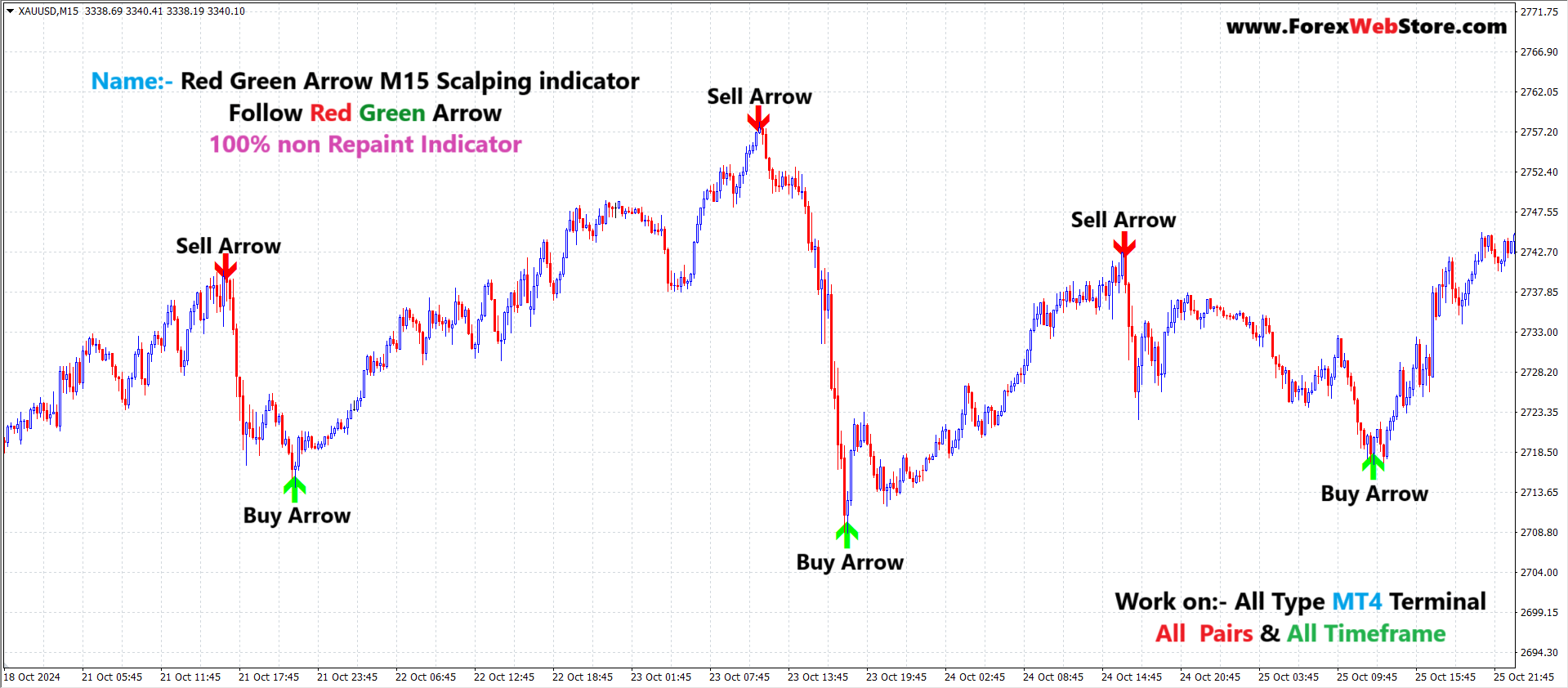
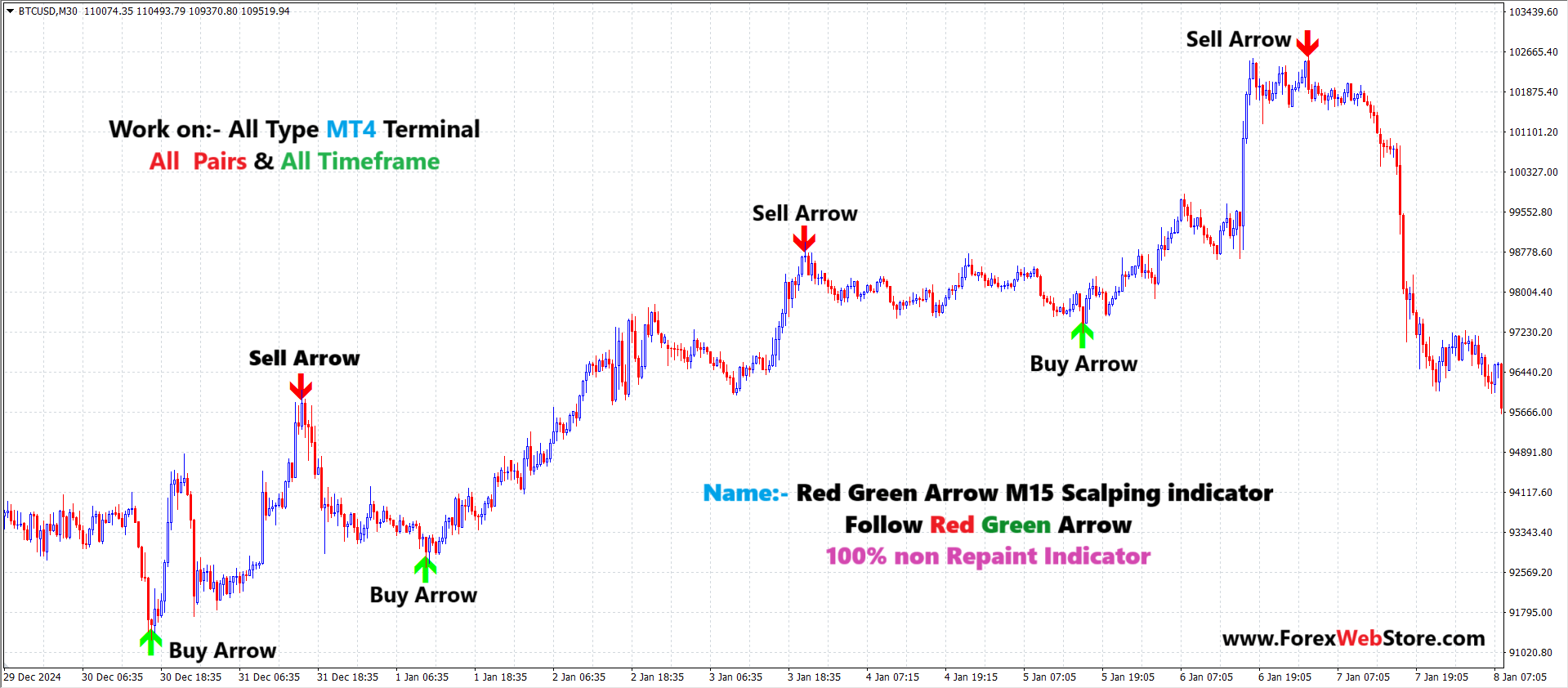
Red Green Arrow M15 Scalping indicator

Original price was: $1,500.00.$149.00Current price is: $149.00.
🔥 Key Features
- ✅ Buy & Sell Arrow Signals
- ✅ 100% Non-Repaint Indicator
- ✅ Optimized for M15 Scalping
- ✅ Works on All Forex Pairs
- ✅ Compatible with MT4 (MetaTrader 4)
- ✅ Simple & Beginner-Friendly
- ✅ Fast Signal Detection
- ✅ No Signal Disappearing or Re-Drawing
Purchase 3 indicator from our website $400 USDT only
Purchase 5 indicator from our website $500 USDT only
Red Green Arrow M15 Scalping Indicator for MT4
Accurate Buy Sell Signals • Non-Repaint • All Pairs
The Red Green Arrow M15 Scalping Indicator is a professional MT4 forex trading indicator designed to deliver clear buy and sell arrow signals for fast and precise intraday trading. Built for M15 scalping, this indicator helps traders identify high-probability market entries with minimal lag and zero repainting.
Whether you are a beginner looking for simple signals or an experienced trader seeking consistent scalping opportunities, this indicator provides a clean, rule-based trading solution that works across all currency pairs and market conditions.
1. The Liquidity Indicator (LQ)
This tool automatically plots Buyside and Sellside Liquidity zones based on previous swing highs and lows.
-
Indicator Purpose: It identifies “stop hunt” zones where institutions likely enter the market by triggering retail stop losses.
-
Skill Level: Intermediate.
-
Trading Style: Intraday/Scalping across multi-timeframes.
How to Take Entries
-
Buy Entry: Wait for the price to drop into a Sellside Liquidity zone (marked by red dashed lines or “Buy” Arrow). Look for a price rejection or a “sweep” where the price dips below the level and quickly recovers.
-
Sell Entry: Wait for the price to rise into a Buyside Liquidity zone (marked by green dashed lines or “Sell” Arrow). The entry is taken in the “Sell Zone Area” after the price probes above the old high and fails to stay there.
The system is ideal for:
-
Scalping
-
Intraday trading
-
Trend pullbacks
-
Short-term reversals
2. Red Green Arrow Scalping Indicator
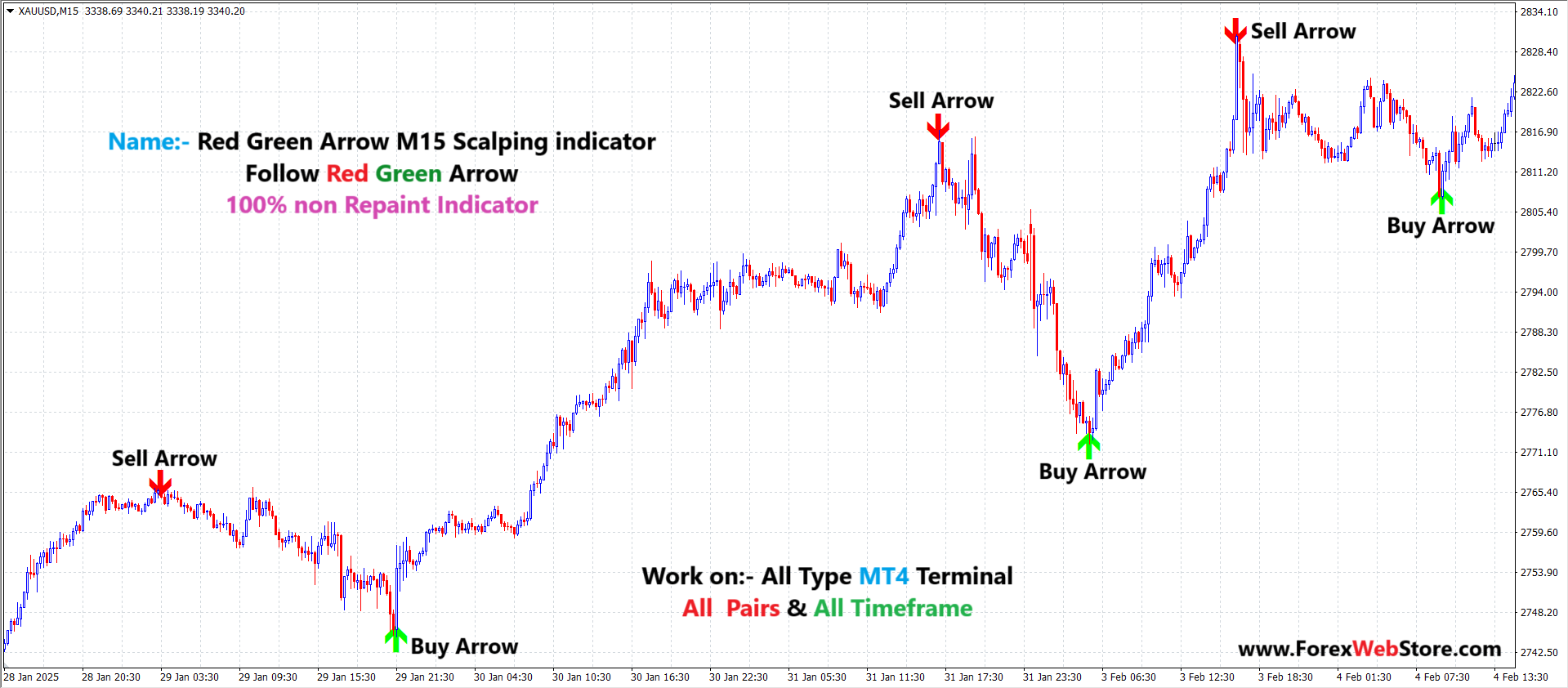
This is a more direct execution tool designed specifically for the M15 timeframe.
-
Indicator Purpose: It provides “Instant Entry Arrows” for quick scalping.
-
Feature: It is marketed as a 100% non-repaint indicator, meaning the signals stay fixed once the candle closes.
-
Compatibility: Works on all pairs and all MT4 terminals.
How to Take Entries
-
Buy Entry: Enter “Long” immediately when a Green Arrow appears pointing upward at the bottom of a candle.
-
Sell Entry: Enter “Short” immediately when a Red Arrow appears pointing downward at the top of a candle.

3. Stop Loss & Risk Management
To trade these indicators successfully, you must apply strict risk rules to handle the volatility inherent in liquidity sweeps.
| Component | Strategy for LQ Indicator | Strategy for Arrow Indicator |
| Stop Loss (SL) | Place SL a few pips beyond the “sweep” wick (the highest or lowest point of the rejection). | Place SL slightly above the recent swing high (for Sells) or below the recent swing low (for Buys). |
| Take Profit (TP) | Target the opposite liquidity level (e.g., if buying at Sellside, target the nearest Buyside level). | Target a fixed 1:1.5 or 1:2 risk-to-reward ratio, or exit when an opposite arrow appears. |
| Risk Per Trade | Risk no more than 1-2% of your total account balance per setup. | Due to the high frequency of scalping, keep risk low (e.g., 0.5-1%) per signal. |
Pro-Tip: For the highest probability, use the LQ indicator on the H1 timeframe to find the “Big Picture” zone, then use the Red Green Arrow on the M15 timeframe to time your actual entry.
🔥 Key Features
-
✅ Buy & Sell Arrow Signals
-
✅ 100% Non-Repaint Indicator
-
✅ Optimized for M15 Scalping
-
✅ Works on All Forex Pairs
-
✅ Compatible with MT4 (MetaTrader 4)
-
✅ Simple & Beginner-Friendly
-
✅ Fast Signal Detection
-
✅ No Signal Disappearing or Re-Drawing
What it’s doing under the hood (conceptually)
This type of arrow system usually combines:
-
Short-term trend/momentum
-
Overbought / oversold reaction
-
Candle confirmation (close-based)
The arrow appears after confirmation, not mid-candle — that’s why it doesn’t repaint.
Be the first to review “Red Green Arrow M15 Scalping indicator”
Related products


MT4 Indicator

MT4 Indicator


MT4 Indicator
Smart Market Structure Concepts V10 Forex Indicator MT4 |100% Non Repaint Indicator V10.0




Reviews
There are no reviews yet.